

Everyday use
Check a request, read usage, and find the next relevant troubleshooting step.
Use this guide after your first request works. Viewing requests and usage does not require an allocation rule.
Check a request
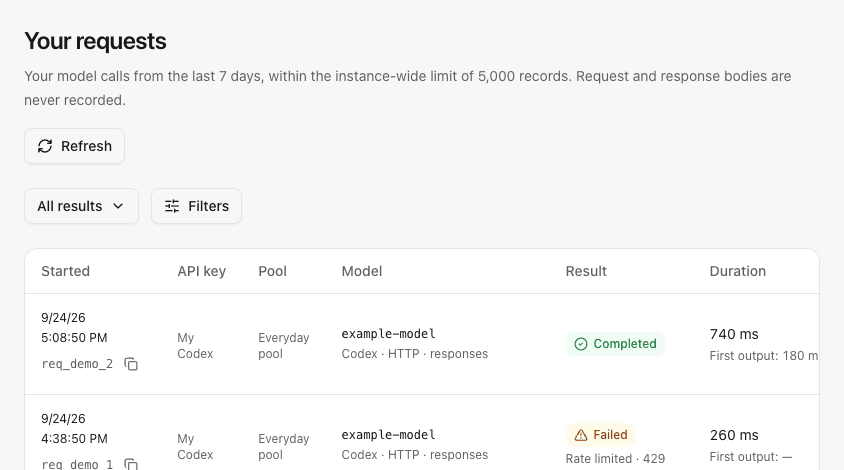
Open Requests to see your own calls. Locate the time of the call, then inspect its result, model and duration. Administrators can use All requests to inspect team calls. Keep the request ID when asking your administrator to investigate.
The history contains request metadata, not prompt or response bodies. For filters and diagnostic details, see request history.
Example personal request history with synthetic records:
See usage
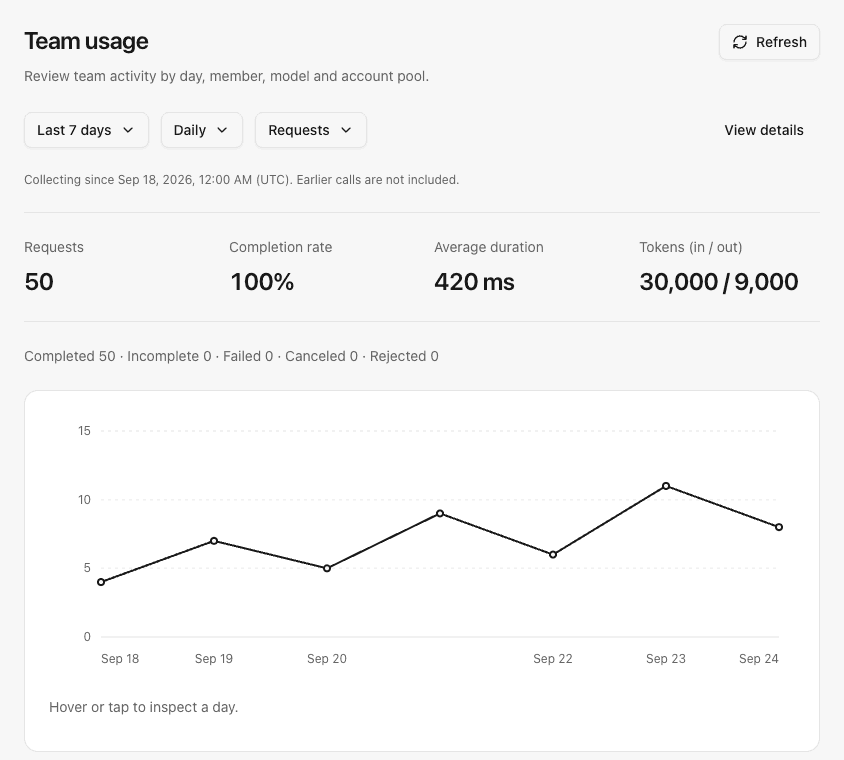
Open Overview, then choose a time range in Your usage. Start with request counts and reported input/output tokens. Administrators can open Administration → Team usage to compare members, or Administration → Instance status for full gateway setup guidance and service health.
A missing token report means unknown usage, not zero. These statistics describe past calls; they are not a bill or a subscription's remaining quota. Detailed chart definitions are in usage summaries.
Example administrator team usage view with synthetic totals:
When a call fails
| What you see | Next action |
|---|---|
| Invalid, paused or expired key | Check the key in API keys. Ask the administrator if your member account was disabled. |
| No authorized pool or model | Ask the administrator to check your workspace membership, direct pool grant and model policy. |
| Busy or rate-limited | Wait for the indicated retry time. If recurring, ask the administrator to inspect request/account concurrency. |
| Upstream quota exhausted | Ask the administrator to inspect the account's remaining quota and reset time. |
| An old conversation stops after an account change | Existing conversations keep their subscription. Start a new conversation after the intended account change. |
| A configured allowance is exhausted or waiting for sync | Check your resource balance and ask the administrator to inspect the allowance rule. This applies only when limits were configured. |
Only add controls when a need appears
- To separate which subscriptions teams can use, adjust account pools.
- To cap member usage, configure optional usage limits.
- To change request frequency or concurrency, read member request limits.
If shared access works for your team, no further configuration is required.